

Realtek High Definition Audio Drivers 6.0.9998.1 (x64) WHQL | Size: 330.53 MB
Language: English
Realtek High Definition Audio Driver - there is a new driver package with native support for the upcoming OS Windows eighth Realtek High Definition Audio (HDA) is intended for ALC-8xx/2xx chipsets for Windows 7, Windows 8, Windows 10.
Supported chips sound cards
ALC880, ALC882, ALC883, ALC885, ALC888, ALC889, ALC861VC, ALC861VD, ALC892, ALC663, ALC662, ALC660, ALC665, ALC260, ALC262, ALC267, ALC268, ALC269, ALC270, ALC272, ALC273, ALC887, ALC670, ALC275, ALC680.
ALC861 Value HD Audio Codec
ALC861-VD-GR Value HD Audio Codec
ALC880 Series HD Audio Codec
ALC882 7.1+2 HD Audio Codec
ALC883 Value 7.1+2 HD Audio Codec
ALC888 7.1+2 Channel High Definition Audio Codec
 Read More
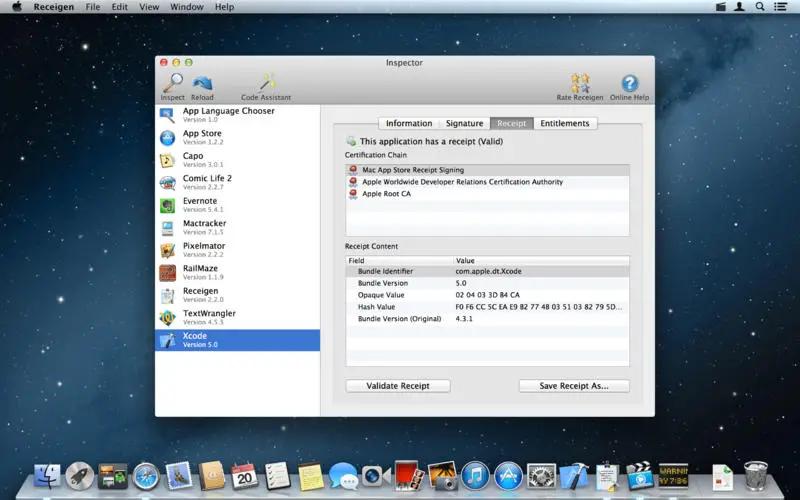
ReIcon 2.3 | Size: 1.18 MB
Language: English
ReIcon will save and restore your desktop icon layouts by allowing you to save your desktop layout and restore it with the click of a button. If you frequently change your screen resolution to play games or use applications that require a specific resolution, then you are probably familiar with the fact that your desktop icons are usually a mess after you switch back to your normal resolution. ReIcon solves this problem by allowing you to save your desktop layout and restore it with the click of a button (Or just with Right-Click (Context) Menu)Set your icons the way you like them, save the layout, then just restore it later when the need arises.
Benefits
– Save your favorite icon layout for each resolution
– Save many different layouts
– It's portable, no need to install anything
– Unicode support
– Easily add "Save/Restore Icon Layout" to the right-click context menu
– CMD support (at CMD, type ReIcon /? for help)
– Align icons to Grid – this allows you to snap your desktop icons to a grid, similar to Windows' Auto-Arrange feature)
Read More
RadialZ v1.4.5 (x64) | Size: 160.72 MB
Language: English
Sculpt without interruption. Every brush, one gesture away. No palettes. No hunting. RadialZ puts your entire brush library one hotkey away, floating over ZBrush exactly where you need it, gone the moment you don't.
A simple browser demo of how RadialZ works — the real plugin lives inside ZBrush, loads brushes through the Bridge, and is faster than this preview lets on.
Every brush, a flick away.
A radial menu at your cursor, an editor to fill it, child brushes nested in a slot, an auto-scanning library, and a plugin that wires it all directly into ZBrush. It keeps you focused on the work, not just faster.
Your hotkey. Your brushes. Right there.
Press your shortcut. A radial wheel appears at your cursor with the brushes you chose. Hover a slot, lift your pen. Done. ZBrush loads the brush silently in the background.
Read More

Prime95.31.06 Build 1 (x64) | Size: 16.56 MB
Language: English
Prime95 is a small and easy to use application that allows you to find Mersenne Prime numbers designed for overclockers. Mersenne numbers can be proved composite (not prime) by either finding a factor or by running a Lucas-Lehmer primality test.
Prime numbers have long fascinated amateur and professional mathematicians. An integer greater than one is called a prime number if its only divisors are one and itself. The first prime numbers are 2, 3, 5, 7, 11, etc. For example, the number 10 is not prime because it is divisible by 2 and 5.
A Mersenne prime is a prime of the form 2P-1. The first Mersenne primes are 3, 7, 31, 127, etc. There are only 40 known Mersenne primes.
There are two ways to use this program. The automatic way uses a central server, which we call the PrimeNet server, to get work to do and report your results. Anyone with Internet access, including AOL, CompuServe, and dial-up ISP users should use this method. You do not need a permanent connection to the Internet.
The second method is the manual method. It requires a little more work and monitoring. Recommended for computers with no Internet access or with some kind of firewall problem that prevents the automatic method from working.
Read More
PLC-Lab Pro 3.5.1 | Size: 49.03 MB
Language: English
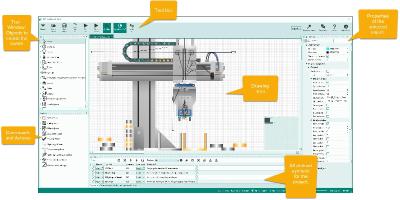
With PLC-Lab you can create your own simplified digital twin for PLC training or to find all logical bugs in your PLC program. The objects in PLC-Lab offer extensive design and setting options, so the variety of project types that can be implemented with PLC-Lab is very high.
The objects can be assigned physical properties, which then influence the behavior of the objects during simulation. For example, objects can be depend on gravity and be magnetic. In addition, you can set parameters such as density, surface friction and elasticity. An integrated physics engine ensures the realistic simulation of the objects. The user interface and the drawing area of PLC-Lab are entirely vector-oriented. This means that the objects in PLC-Lab can be enlarged or reduced in size without any loss of quality. The user interface is also displayed razor sharp on high-resolution screens (e.g. 4K). The setup of a system or test environment is straightforward. Use of PLC-Lab is based on programs such as PowerPoint by Microsoft.
Read More
NCH PhotoPad Professional 15.16 Beta | Size: 10.66 MB
Language: English
Whether you're a professional photographer or just want to edit your personal photos, PhotoPad offers the powerful tools and features you need to improve your digital images.
Features:
- Crop, rotate, resize and flip pictures
- Touch up photos to remove red-eye and blemishes
- Apply photo effects, including oil paint, cartoon, vignette, sepia and many more
- Improve photo quality and focus with blur, sharpening and noise reduction tools
- Adjust image color/hue, saturation, brightness and contrast
- Create collages and photo mosaics with your photographs
- Photo stitching to make your own panorama images
- Load jpg, gif, png and other popular image formats
- Add text and captions to photos
- Insert clipart from the included clipart library
- Add frames and borders around your photographs
- Change the aspect ratio of an image without distorting key features using the liquid resize effect
- Non-destructive editing allows easy modifications of individual photo effects on the layers list
- Upload edited pictures directly to Facebook or Flickr
Read More
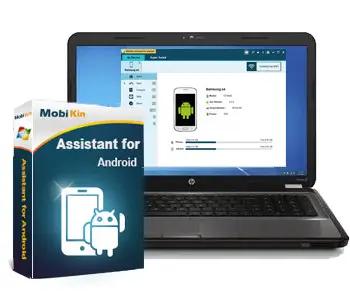
MobiKin Assistant for Android 5.1.47 Multilingual | Size: 24.07 MB
Language: English
Looking for a simple way to manage your Android device? Then this MobiKin Assistant for Android could be the ideal solution for you. Just get it to learn its powerful management ability now.
Back Up & Restore Android Data Easily
Many Android users complain that they always mistakenly delete something important when they're using some unfamiliar functions on their Android device. So are you tired of randomly losing stuff from your phone? Now, let's end the fate of losing data on Android with the help of the software called MobiKin Assistant for Android. With it, you can connect multiple Android devices to PC and back up all data from these devices to your desktop computer with one simple click. What's more, you can manage these connected devices as follow:
One click to back up all files from your Android device to computer, which can make the Android data backup more quickly and easily.
Restore the backed up files from computer to Android device with one simple click. (Click to learn how to back up & restore Android phone with one simple click.)
Read More
Microsoft PowerToys for Windows 10 v0.100.1 | Size: 271.74 MB
Language: English
Microsoft PowerToys is a set of utilities for power users to tune and streamline their Windows experience for greater productivity. Inspired by the Windows 95 era PowerToys project, this reboot provides power users with ways to squeeze more efficiency out of the Windows 10 shell and customize it for individual workflows.
Microsoft revealed earlier this year that PowerToys were coming back to Windows 10. PowerToys used to be useful little utilities that would let you further customize Windows. Microsoft's first PowerToys for Windows 10 are now available.
Current PowerToy Utilities
• FancyZones
FancyZones is a window manager that makes it easy to create complex window layouts and quickly position windows into those layouts.
• File Explorer Add-ons (Preview Panes)
File Explorer add-ons right now are just limited to Preview Pane additions for File Explorer. Preview Pane is an existing feature in the File Explorer. To enable it, you just click the View tab in the ribbon and then click "Preview Pane".
Read More
MIDISketch 0.9.75 | Size: 16.8 MB
Language: English
Enhance your Creativity
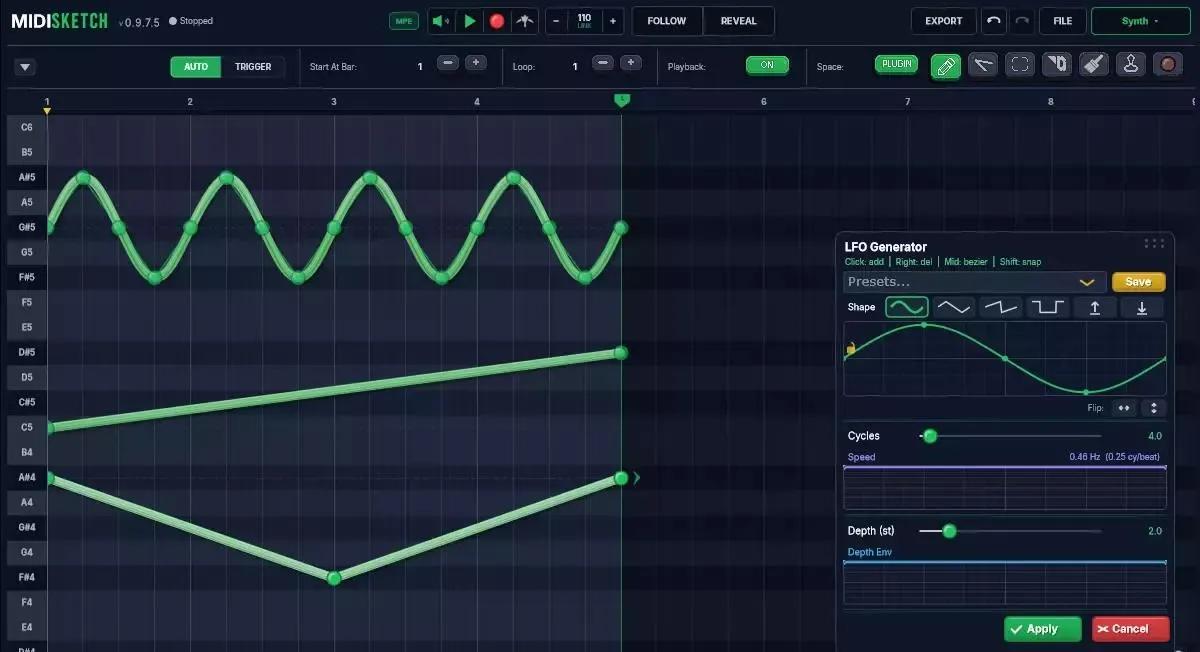
Sketch pitch bends, curves, glides, and vibrato. No MPE hardware needed. Works with FL Studio, Ableton, Logic, Reaper, and more.
Draw Pitch Glides
Place pitch curve points and drag to create smooth glides between notes. MPE pitch expression made easy.
Host MPE Synths
Load Serum 2, Vital, Phase Plant, and other VST3/AU synths directly inside MIDISketch. Hear everything as you draw.
LFO Tool
Add LFO modulation to MIDI with full control over waveshape, speed, depth, and envelope.
Expression Lanes
Draw Pressure, Slide, and Pan curves with bezier handles per note. Non-destructive LFOs on any expression lane.
Read More
Kali Linux 2026.2 (x64) | Size: 4.47 GB
Language: English
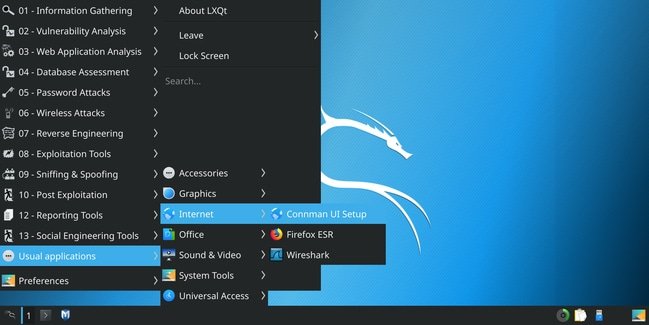
Kali contains a vast array of hacker tools and utilities (password attacks, sniffing and spoofing, reverse engineering, ...). Hacking foreign WiFi/WLAN (wireless attacks) and more. Kali is designed for digital forensics and penetration testing.
Kali is preinstalled with numerous penetration-testing programs, including nmap (a port scanner), Wireshark (a packet analyzer), John the Ripper (a password cracker), and Aircrack-ng (a software suite for penetration-testing wireless LANs). Kali can be run from a hard disk, live DVD, or live USB.
The most advanced penetrating testing distribution, ever.
Kali, the most advanced and versatile penetration testing distribution ever created. Kali has grown far beyond its humble roots as a live DVD and has now become a full-fledged operating system.
Note: Kali is Linux based, but suitable for all Windows versions.
Read More

